If you have a SedonaWeb user who can't see invoices/payment methods in SedonaWeb 2.0:
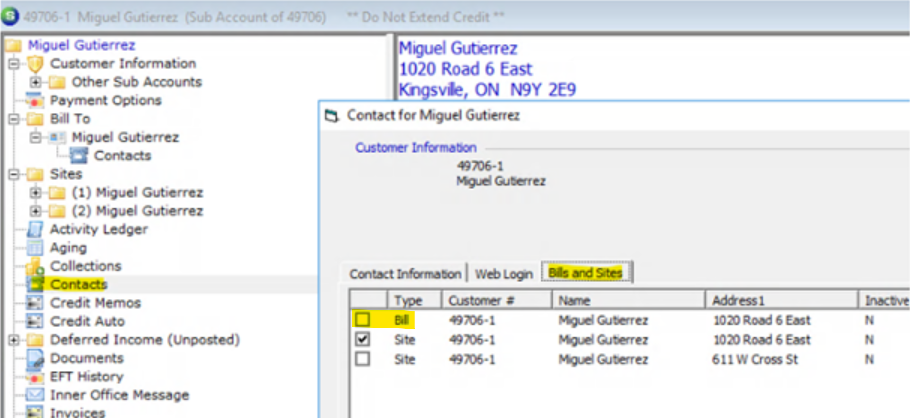
This is most likely because their contact does not have the proper permissions. Go into SedonaOffice -> search for the specific customer and/or sub account the customer cannot see bills for -> double click on the specific contact -> navigate to the Bills and Sites tab -> check the box for any bill to addresses this customer should be able to see invoices and payment information for.
If you want future customers to have invoice and payment permissions by default, then you will want to adjust the setting in your API host login preferences, screenshot below: 